
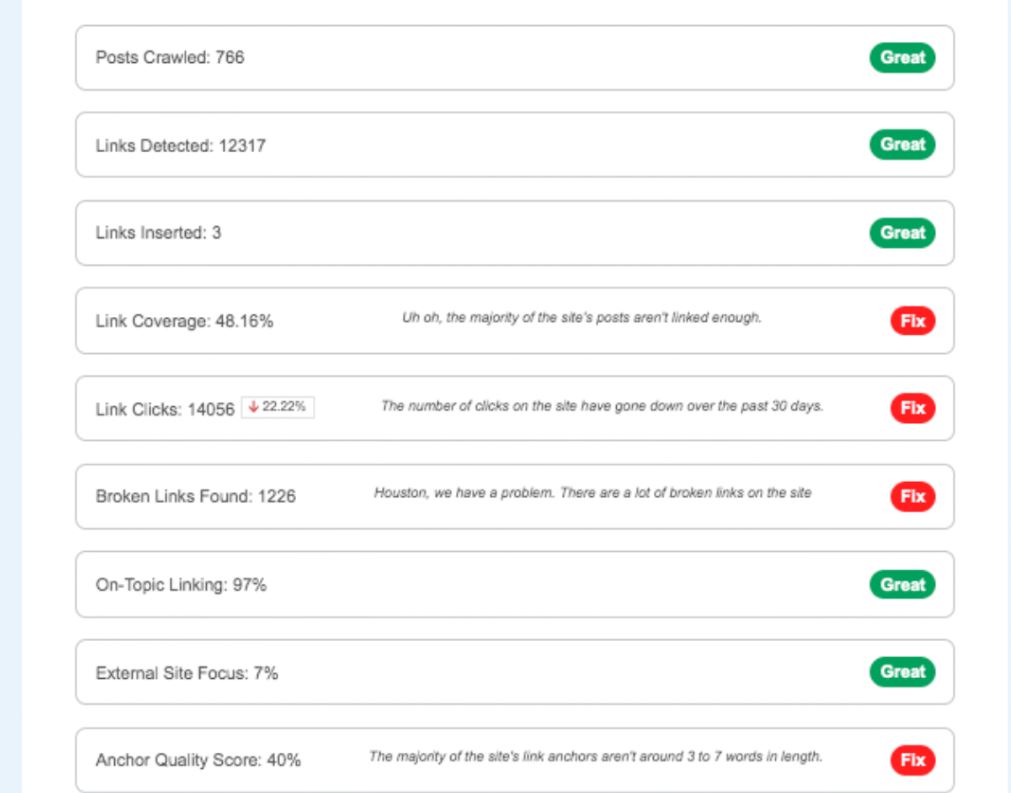
Revolutionize Your Internal Linking with Link Whisper Plugin
We have a very quick Link Whisper review here. It’s a great plug in that we have been using on several sites since it was launched and we love it. Jump in and order it here, we are sure you’ll love this too.
You do your awesome keyword research, you then create your content brief and write your article. Published the finish article, and then do your internal linking strategy.
Link Whisper is a powerful WordPress plugin that helps you easily and effectively manage internal linking on your website. The plugin provides a variety of features that make it simple to optimize your website’s internal linking structure, enhance user experience, and improve SEO rankings.
Our Link Whisper Review
One of the standout features of Link Whisper is its ability to suggest internal links based on your website’s content. It analyzes your website’s content and suggests internal links that can be added to your posts and pages, helping to establish a solid internal linking structure that can enhance user experience and improve SEO.
Another valuable feature of Link Whisper is its auto-linking functionality. This allows you to automatically link to specific pages or posts on your website every time certain keywords or phrases are used. This can help to improve SEO rankings by establishing a strong internal linking structure, while also enhancing user experience by making it easier for readers to navigate your website.

Internal Linking
Internal linking is an essential aspect of website optimization that often goes overlooked. Internal links are hyperlinks that direct visitors to other pages on your website, and they are critical for both SEO and user experience. By including internal links on your website, you can enhance navigation, improve page authority, and boost search engine rankings.
One of the most significant benefits of internal linking is improved user experience. By including links to relevant pages on your website, you make it easier for visitors to navigate and find the information they need. Internal links can also help visitors discover new content, which can increase engagement and keep them on your website for longer periods.
Internal linking is also crucial for search engine optimization. By including internal links on your website, you help search engines understand the structure of your website and the relationship between pages. This can help search engines index your website more effectively and improve your website’s search engine rankings. Additionally, internal linking can help distribute link equity throughout your website, boosting the authority of your pages and helping them rank higher in search results.
In summary, internal linking is a critical aspect of website optimization that can have a significant impact on user experience and search engine rankings. By including internal links on your website, you can improve navigation, increase engagement, and boost your website’s SEO. As such, it is essential to prioritize internal linking when designing and optimizing your website.
Functionality
With Auto-Links, you can easily link a chosen URL whenever a specific keyword is mentioned on your website. For instance, if you want to link to a particular page each time the phrase “best survival knife” is used, you can set it up to happen automatically through the auto-linking feature.
This feature not only adds links to past mentions of the keyword but also automatically adds them whenever the keyword is mentioned in the future.
You have great control over when and where Auto-Links are inserted using the Auto-Linking feature’s powerful settings, which include:
Add link if post already has this link
Only link once per post
Override “One Link per Sentence” rule
Select links before inserting
Set priority for auto link insertion
Only add links to posts published after the given date
Make keyword search case sensitive
Restrict autolinks to specific categories
Enabling the “Add link if post already has this link” option allows Link Whisper to add Auto-Links to posts that already have links pointing to the Auto-Link’s URL. However, if you don’t check “Only link once per post,” the Auto-Link will be added every time the keyword appears in the post, which may lead to multiple links being inserted.
Checking “Only link once per post” ensures that Auto-Links are only inserted once in each post. It’s also enabled by default on all new Auto-Links. If “Add link if post already has this link” is active, it ensures that the Auto-Link is still added once, even if a manually inserted link with the same URL is already present in the post.
By default, Link Whisper only inserts one link per sentence. However, checking “Override ‘One Link per Sentence’ rule” overrides this behavior, allowing multiple Auto-Links to be added to a sentence.
Shopify Users.
Don’t feel left out! Get Link Whisper Shopify
You too can now benefit from this amazing tool.
Link Whisper Discount
YES IT IS HAPPENING!!!!!
Link Whisper will be running a sale on Black Friday and Cyber Monday, so grab a great deal while it is available.
Final Thoughts.
Overall, Link Whisper is a powerful tool for managing internal linking on your WordPress or Shopify website. It provides a variety of features that make it easy to optimize your internal linking structure, enhance user experience, and improve your SEO rankings. With its intuitive interface and powerful capabilities, it is a valuable tool for any website owner looking to improve their website’s internal linking structure.
Keep up with best practice SEO and start interlinking your pages.